How to Guides
How to Clean and Use the Puffco Proxy
Sep
Quick answer: how to clean a Puffco Proxy
- After each use, gently swab the chamber and carb cap in a circular motion.
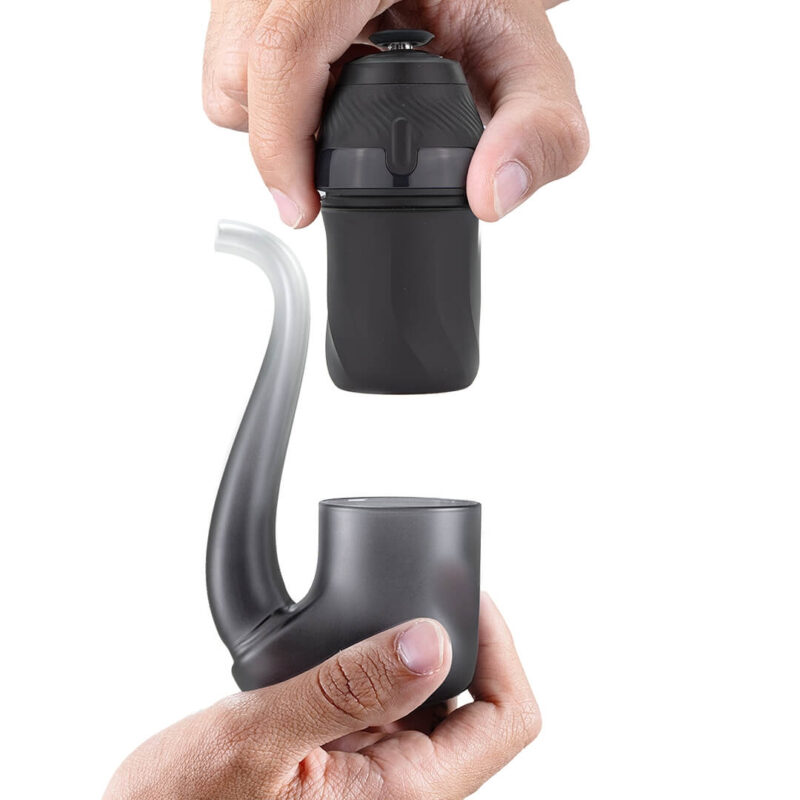
- Let it cool, then remove the glass and chamber.
- Soak the chamber in 90%+ isopropyl alcohol for 20–30 minutes. Never use water on it.
- Swab the base’s gold contacts and air path with alcohol, without flooding it.
- Soak the glass, rinse it with water, and let every part dry fully.
Quick answer: how to use it
- Charge it, then hold the button 3 seconds to unlock.
- Single-click to pick a heat setting (Blue to White).
- Cold load a small dab and press the carb cap on snug.
- Double-click to heat; it flashes and vibrates 3 times when ready.
- Hold it upright and inhale gently. Double-click to Boost.
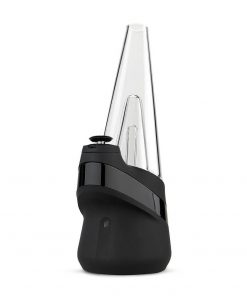
The Puffco Proxy is a modular dab device: an app-enabled base with Puffco’s 3D Chamber that fits into a range of glass pieces, or into the glass-free Proxy Core. This guide follows Puffco’s official support instructions for the New Proxy and the Proxy Core Kit, and notes where the original Proxy is different.
Have the original Proxy? The cleaning steps are the same on both versions, so you can follow this guide as written. The only differences are the heat-setting temperatures (shown side by side below), the warranty, and a slightly shorter charge time on the original (about 1.5 hours). The Puffco Connect app and Proxy Core work with the New Proxy only.
How to Use the Puffco Proxy
Heat settings and temperatures
| Setting | New Proxy | Original Proxy | What it’s for |
|---|---|---|---|
| Blue (low) | ~490°F | ~505°F | High flavor, lighter vapor |
| Green (medium) | ~510°F | ~520°F | Balanced flavor and vapor |
| Red (high) | ~530°F | ~545°F | Stronger vapor, good flavor |
| White (peak) | ~545°F | ~565°F | Maximum vapor, strongest effects |
Battery, app and light bar
- Battery: around 15 dabs per charge on the New Proxy, depending on heat settings. Boost uses more. You can use it while it charges, as long as it has some charge.
- Puffco Connect app: the New Proxy is app-enabled, so you can customize and save heat profiles, Boost and the LED bar. To pair it, hold the button for 6 seconds until it glows blue, then select it in the app.
- Dim the light: click the button four times to dim the LED bar, and four times again to restore it.
How to Clean the Puffco Proxy
What you need: 90%+ isopropyl alcohol (the only cleaner Puffco recommends), cotton swabs, a small cup and paper towel. Always let the device cool first: don’t handle the base, chamber or glass while hot.
After each use
Clean the chamber and carb cap after every session. Wipe the chamber gently in a circular motion while the residue is still warm, and don’t press hard. Puffco says this helps protect the chamber’s life.
Deep clean, part by part
| Part | How to clean it |
|---|---|
| Chamber | Light clean: swab with 90%+ isopropyl alcohol and gently clean the gold contact points. Deep clean: submerge in 90%+ isopropyl alcohol for 20–30 minutes, then let it dry completely. Isopropyl alcohol is highly flammable, so never heat a wet chamber. |
| Tether / jacket | Gently pull back to release the jacket from the chamber’s housing ribs. To refit, line up an open slot with a rib and push down until seated. |
| Carb cap / Joystick Cap | Can be soaked in isopropyl alcohol. The silicone may swell in alcohol, but it shrinks back to a perfect fit. |
| Base | Remove the glass and chamber, then swab the gold contact points and air path with isopropyl alcohol. Never flood or soak the base, and keep the USB port dry. |
| Glass | Submerge in isopropyl alcohol (no other cleaners or abrasives), rinse thoroughly with water and let it dry fully. Don’t slide the glass around, to avoid scratches. |
| Proxy Core | Soak the mouthpiece and terp pearl in 90%+ isopropyl alcohol. Don’t soak the Core cup: spot clean it with alcohol only. |
Reassembling: line up the 3 prongs on the chamber with the base and never force it, which Puffco warns can cause irreversible damage. Seat the base fully in the glass with the “Puffco” name facing you. Never open the base, which voids the warranty.
How often
Puffco’s rule of thumb is a thorough clean each time the battery fully runs down. Soak the chamber any time you notice flooding or get a red-white flash. If a clean chamber still tastes off, a fresh Proxy 3D Chamber is the easy fix.
Puffco Proxy Lights and Troubleshooting
| What you see | What it means | What to do |
|---|---|---|
| White flashes 3 times | Chamber not attached | Remove and reattach the chamber, lining up the 3 prongs. Don’t force it. |
| Red-white flashing | Chamber connection error | Soak the chamber in 90%+ isopropyl alcohol for 20 minutes and let it dry fully. Never use water. |
| Solid red for 5 seconds | Overheating | Leave it alone to cool, for example after a hot car or long use. |
If a problem continues, contact Puffco support. The New Proxy’s limited warranty covers the base for two years and the chamber for six months (the original Proxy: one year and one month).
Proxy Accessories and Parts
Puffco Proxy 3D Chamber
$53.81 USD
A fresh 3D Chamber restores flavor when a well-cleaned chamber starts to fade.
Puffco Proxy Joystick Cap
$29.95 USD
Twist to control your Proxy’s airflow. Soak it in isopropyl alcohol to clean.
Puffco New Proxy Bubbler
$85.00 USD
Brings water filtration to your Proxy for cooler, smoother draws. Soak and rinse like other Proxy glass.
Puffco Proxy Travel Pack
$40.49 USD
Keeps your Proxy session organized, and Puffco recommends it for supporting the glass so it doesn’t scratch.
Don’t have one yet? The Puffco New Proxy is $207.95 USD and the Proxy Core Kit is $207.95 USD. Not sure which to get? Read Proxy Core vs Proxy Core Kit.
Puffco Proxy FAQ
How do you clean a Puffco Proxy?
Let the device cool before taking it apart. For a light clean, swab the chamber with 90%+ isopropyl alcohol and gently clean the gold contact points. For a deep clean, soak the chamber in 90%+ isopropyl alcohol for 20 to 30 minutes and let it dry fully. Clean the base's gold contacts and air path with an alcohol swab without flooding it, and soak the glass in isopropyl alcohol, then rinse it with water and let it dry.
How long should I soak a Puffco Proxy chamber?
Puffco recommends soaking the chamber in 90%+ isopropyl alcohol for 20 to 30 minutes for a deep clean. For a red-white connection error, Puffco suggests a 20-minute soak. Always let it dry completely before reattaching.
Can you use water to clean a Puffco Proxy?
Not on the chamber. Puffco says to use only 90%+ isopropyl alcohol on the chamber, never water or other cleaning solutions. Water is only used to rinse the glass pieces after their alcohol soak.
How often should I clean my Puffco Proxy?
Swab the chamber and carb cap after each use. Puffco's rule of thumb for a thorough clean is each time the battery fully runs down and needs recharging, and the chamber should be soaked any time you notice flooding or get a red-white flash.
How do you clean the Puffco Proxy Core?
Remove the mouthpiece and terp pearl and soak them in 90%+ isopropyl alcohol. Do not soak the Core cup; spot clean it with isopropyl alcohol only.
How do you use a Puffco Proxy?
Charge it, then hold the button for 3 seconds to unlock it. Single-click to choose a heat setting, cold load a small amount into the chamber, and press the carb cap on snug. Double-click to heat; when it flashes and vibrates 3 times it's ready. Hold it upright and inhale gently.
What temperatures are the Puffco Proxy heat settings?
On the New Proxy, Puffco lists Blue at about 490°F, Green about 510°F, Red about 530°F and White about 545°F. The original Proxy runs slightly hotter: about 505°F, 520°F, 545°F and 565°F. With the Puffco Connect app you can customize and save heat profiles on the New Proxy.
How do you use Boost on the Puffco Proxy?
After it heats up, double-click to activate Boost, which extends the session and raises the temperature. Puffco advises not initiating heat-up more than 4 times in a row. Boost uses extra battery.
How many dabs does a Puffco Proxy get per charge?
Puffco rates the New Proxy at around 15 dabs per charge, depending on your heat settings. A full charge takes around 2 hours, and you can use it while it's charging as long as it has some charge.
Why is my Puffco Proxy flashing white 3 times?
Three white flashes mean the chamber isn't attached. Remove the chamber and reattach it, lining up the 3 prongs on the chamber with the base. Don't force it, as that can cause irreversible damage.
Why is my Puffco Proxy flashing red and white?
Red-white flashing is a chamber connection error. Remove the chamber, soak it in 90%+ isopropyl alcohol for 20 minutes, and let it dry completely before reattaching. Never use water on the chamber.
Why is my Puffco Proxy showing a solid red light?
A solid red light for 5 seconds means the device is overheating, for example from being left in a hot car or from extended use. Leave it alone and it will return to normal shortly.
How do you dim the light on the Puffco Proxy?
Click the button on the base four times to dim the LED bar, and four times again to return to full brightness. You can also customize the LED bar in the Puffco Connect app.
What is the Puffco Proxy warranty?
Puffco's limited warranty covers the New Proxy's electronic base for two years and the chamber for six months. The original Proxy was covered for one year on the base and one month on the chamber. Opening or disassembling the base voids the warranty.
Related
Sources

- The Best Electric Dab Rig: 9 E-Rigs Compared by City Vaporizer - October 12, 2026
- What Is Kief? How to Collect It With a 4-Piece Grinder - October 2, 2026
- Rosin vs Resin: What’s the Difference and Which to Choose - October 1, 2026